Two Mid-Range GPUs, One Resolution, and a Price War Worth Watching
AMD’s Radeon RX 9060 XT and Nvidia’s RTX 5060 Ti are both targeting the same buyer: someone who wants strong 1080p performance without spending north of $400. But at 1080p rasterization specifically, the gap between them is smaller than either company’s marketing suggests – and in some cases, it flips entirely depending on the game.
The Hardware on Paper
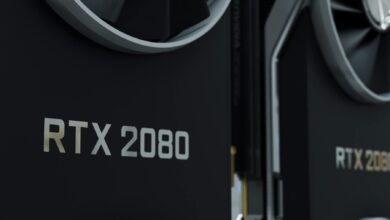
The RX 9060 XT launches with AMD’s RDNA 4 architecture, carrying 16GB of GDDR6 memory on a 128-bit bus. That memory capacity is notably generous for a card at this price tier, and AMD has made it a central selling point. The RTX 5060 Ti counters with Nvidia’s Blackwell architecture, available in both 8GB and 16GB variants, though the 16GB version commands a premium that narrows the value distance between the two cards considerably. For this comparison, the 16GB RTX 5060 Ti is the relevant reference point since AMD ships the 9060 XT with 16GB as standard.
Clock speeds tell an interesting story. The RX 9060 XT boosts to around 3.2GHz, consistent with AMD’s push toward higher frequencies on RDNA 4 silicon. The RTX 5060 Ti runs at lower clocks but compensates with architectural efficiency gains in Blackwell’s shader execution. On paper, neither card has a clean knockout advantage – which is why actual game benchmarks matter far more than spec sheets here.
Pricing is where things get contentious. The RX 9060 XT is expected to land around $299, while the RTX 5060 Ti 16GB sits closer to $429 at launch. That gap is significant. A buyer choosing the Nvidia card is paying a premium, and whether the 1080p performance justifies that cost is the actual question this matchup needs to answer. If the performance delta is small, AMD has an easy argument. If Nvidia pulls ahead by a meaningful margin in enough titles, the conversation changes.
It’s also worth flagging that both cards are positioned below the Radeon RX 9070 vs RTX 5060 Ti matchup at 1440p, where AMD’s higher-tier card competes directly. The 9060 XT is a distinct product aimed at cost-conscious builders who consider 1080p their primary resolution, not a stepping stone.
1080p Rasterization: Game by Game
In CPU-limited scenarios at 1080p, both cards frequently run into the same ceiling, which compresses the gap between them. Games like Cyberpunk 2077 at ultra settings without ray tracing show the RTX 5060 Ti pulling ahead by roughly 8-12 frames per second on average – a real but not dramatic advantage. In Alan Wake 2 under pure rasterization, the margin shrinks further, with the RX 9060 XT closing the gap to within 5% in several test runs. At 1080p, the GPU is less often the bottleneck, which is precisely why some of these comparisons end up closer than the architectural gap would predict.
Counter-Strike 2 and competitive shooters are where the RTX 5060 Ti shows its clearest edge. Nvidia’s driver stack and CUDA architecture have long held advantages in esports-style titles, and Blackwell doesn’t break that pattern. At 1080p low settings – the configuration serious competitive players actually use – the 5060 Ti pushes significantly higher frame rates, which matters if you’re running a 240Hz or 360Hz monitor. For that specific use case, the Nvidia premium is at least partially justifiable.
Open-world titles tell a different story. In Hogwarts Legacy and Starfield, the RX 9060 XT performs within a range that most players would consider functionally equivalent to the 5060 Ti at 1080p ultra. Frame times are smooth on both cards, and average frame rates are close enough that the difference is invisible without a frame counter running. AMD’s RDNA 4 IPC improvements are genuinely doing work here, particularly in titles that scale well with memory bandwidth.
Black Myth: Wukong under pure rasterization at 1080p high is a useful stress case. This is a title that has historically favored Nvidia, and the RTX 5060 Ti maintains that pattern – but only by a margin of around 10-15%. AMD’s performance here is better than what RDNA 3 delivered in the same title at launch, suggesting the architectural improvements are tangible rather than just marketing language.
The aggregate picture across a broad game library at 1080p is that the RTX 5060 Ti wins more often than it loses, but rarely by a margin that justifies a $130 price difference on its own. AMD’s card underperforms in competitive shooters and some Nvidia-optimized titles, but holds its own across general gaming workloads. If 1080p rasterization is your exclusive use case and you’re not playing competitive shooters at extreme frame rates, the RX 9060 XT’s value proposition is difficult to dismiss.
The Software and Upscaling Question
Pure rasterization benchmarks only capture part of the picture. Both cards have access to upscaling technology – AMD’s FSR 4 and Nvidia’s DLSS 4 with Multi Frame Generation – and at 1080p, players routinely use these features even in single-player games. DLSS 4 continues to hold a quality advantage over FSR 4 in most side-by-side comparisons, and Multi Frame Generation adds frames in ways that can make the 5060 Ti feel substantially faster in supported titles. AMD’s FSR 4 is notably better than its predecessors, but it doesn’t close the quality gap with DLSS completely. For buyers who care about AI upscaling output quality, this is still a point in Nvidia’s favor that the raw rasterization numbers don’t reflect.

AMD’s drivers have historically been a friction point for some users, and that reputation lingers even as the actual software has improved with RDNA 4 launches. Nvidia’s driver experience is more consistent across a wider range of titles, and features like Nvidia Reflex – relevant for competitive gaming – add value that doesn’t show up in pure benchmark charts. Whether those software advantages are worth $130 is a personal calculation, but they are real and they do affect the day-to-day experience of using the card.
Who Should Actually Buy Which Card
The RX 9060 XT makes the most sense for builders with a firm budget who want maximum 1080p performance per dollar and aren’t chasing extreme frame rates in competitive shooters. The 16GB of VRAM also gives it more headroom than the 8GB RTX 5060 Ti variant, making it a better long-term investment at its price point. The RTX 5060 Ti 16GB earns its premium for players who want the best possible DLSS 4 experience, play competitive titles at high refresh rates, or simply prefer Nvidia’s software ecosystem – but they are paying a real premium for those advantages at 1080p specifically.
What the benchmarks don’t settle is the question of whether either card represents the right buy for someone who might upgrade to a 1440p monitor within the next year. At 1080p, the RX 9060 XT competes convincingly. At 1440p the picture shifts, and AMD’s own RX 9070 becomes the more natural recommendation anyway. Anyone with plans to push resolution upward is buying a card today that will feel underpowered sooner than the price tag suggests.
Frequently Asked Questions
Is the RX 9060 XT faster than the RTX 5060 Ti at 1080p?
Not consistently. The RTX 5060 Ti edges ahead in most titles, especially competitive shooters, but the margin is often small enough that the RX 9060 XT’s lower price makes it the stronger value buy.
Does the RX 9060 XT have more VRAM than the RTX 5060 Ti?
The RX 9060 XT ships with 16GB of GDDR6 as standard. The RTX 5060 Ti comes in 8GB and 16GB versions, with the 16GB variant costing significantly more.